Making Field Engineering Labeling Seamless
FieldSnap
Idea Phase
Overview
Field technicians across industries—HVAC, electrical, plumbing, fire safety, telecom, manufacturing—face the same headache: documenting equipment data quickly, accurately, and in a format the whole team can use. Before FieldSnap, this meant juggling a phone camera, scribbled notes, messy WhatsApp photo dumps, and disorganized spreadsheets. The result? Lost data, incomplete records, repeat visits, and delays in project handovers. FieldSnap changes that.
The Problem
Across industries, field documentation is broken.
Existing solutions are fragmented—one app for scanning, another for notes, another for file sharing. They’re not designed for high-pressure, low-connectivity environments.
The result:
Missing or illegible data
Multiple return visits to the same site
Slowed project delivery
No standardized handover process
There was no all-in-one tool for capture → structure → share in a single workflow.
That’s the problem FieldSnap set out to solve.
Approach
The original product was built for electrical engineers. But we quickly saw the opportunity:
What if we let any field professional scan equipment, extract key text, and auto-fill a structured template that matched their trade?
So we pivoted early. My job was to make the interface universal and flexible, while still feeling tailored to real-world technical work.
Key principles:
Field-first UX: Fast, glove-friendly, one-handed operation
Profession-specific templates: Electrical, HVAC, Fire Safety, Plumbing, Telecom, Manufacturing
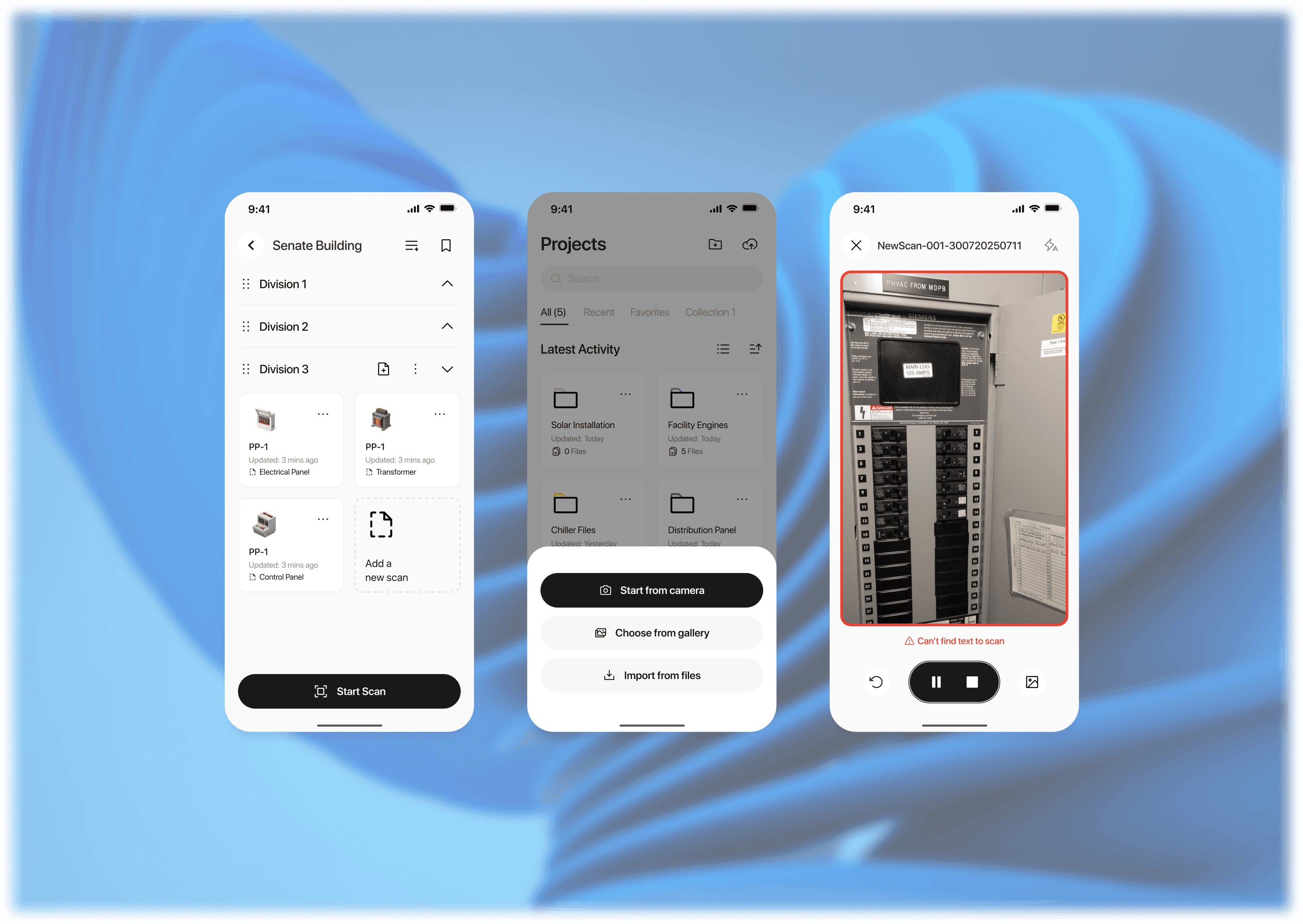
Zero-friction capture: Record video, snap stills mid-record, OCR runs instantly
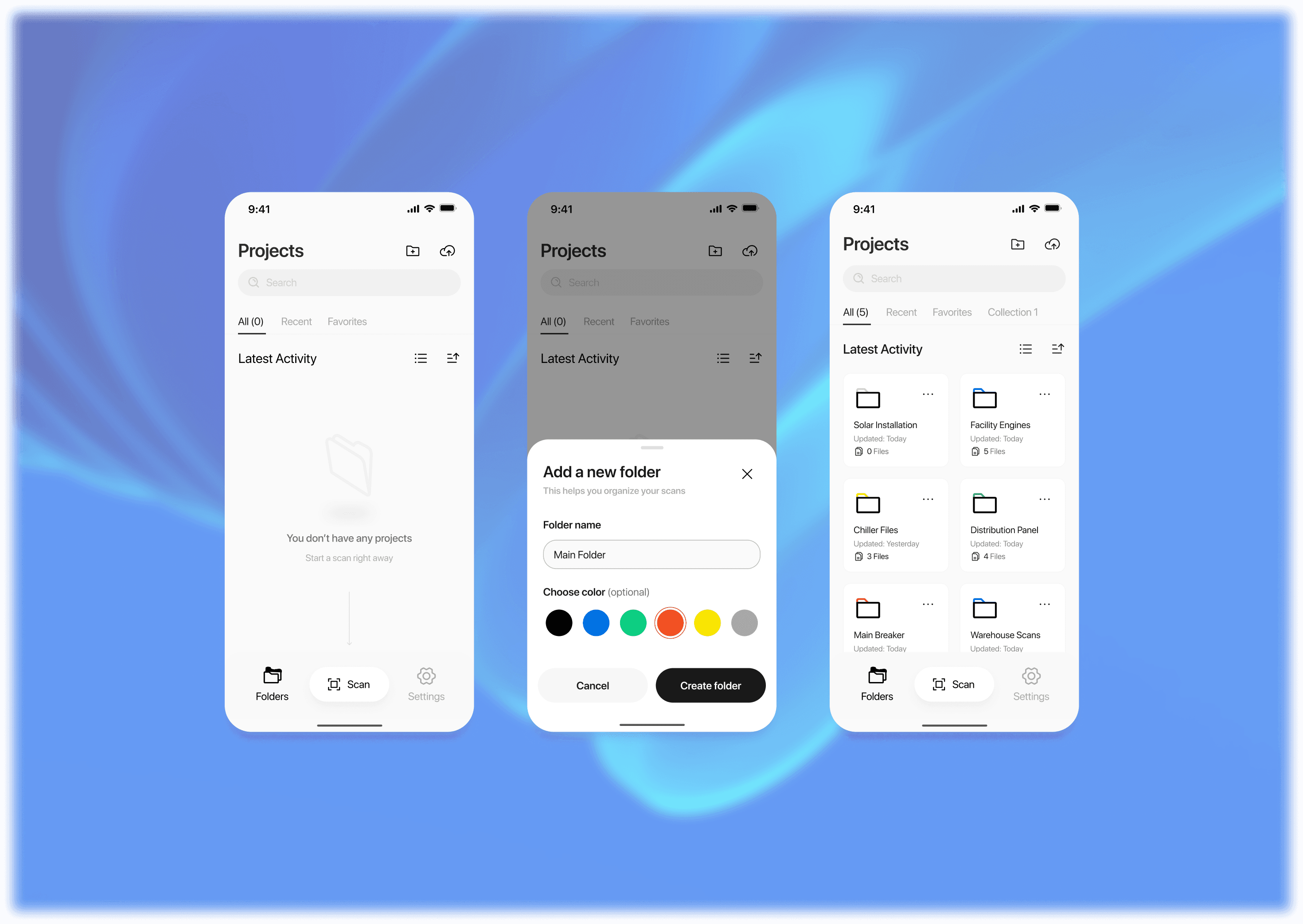
Smart structure: Auto-organized by Project > Site > Floor
Offline-first: Works anywhere, syncs when online
Seamless sharing: Entire projects downloadable or shareable via link
Challenges
One of the hardest UX problems was building a template system that feels both standardized and flexible.
How do you give an HVAC tech a different layout than a telecom engineer?
How do you design a UI that adapts but doesn’t overwhelm?
How do you balance automation (OCR-fills) with user control (manual edits)?
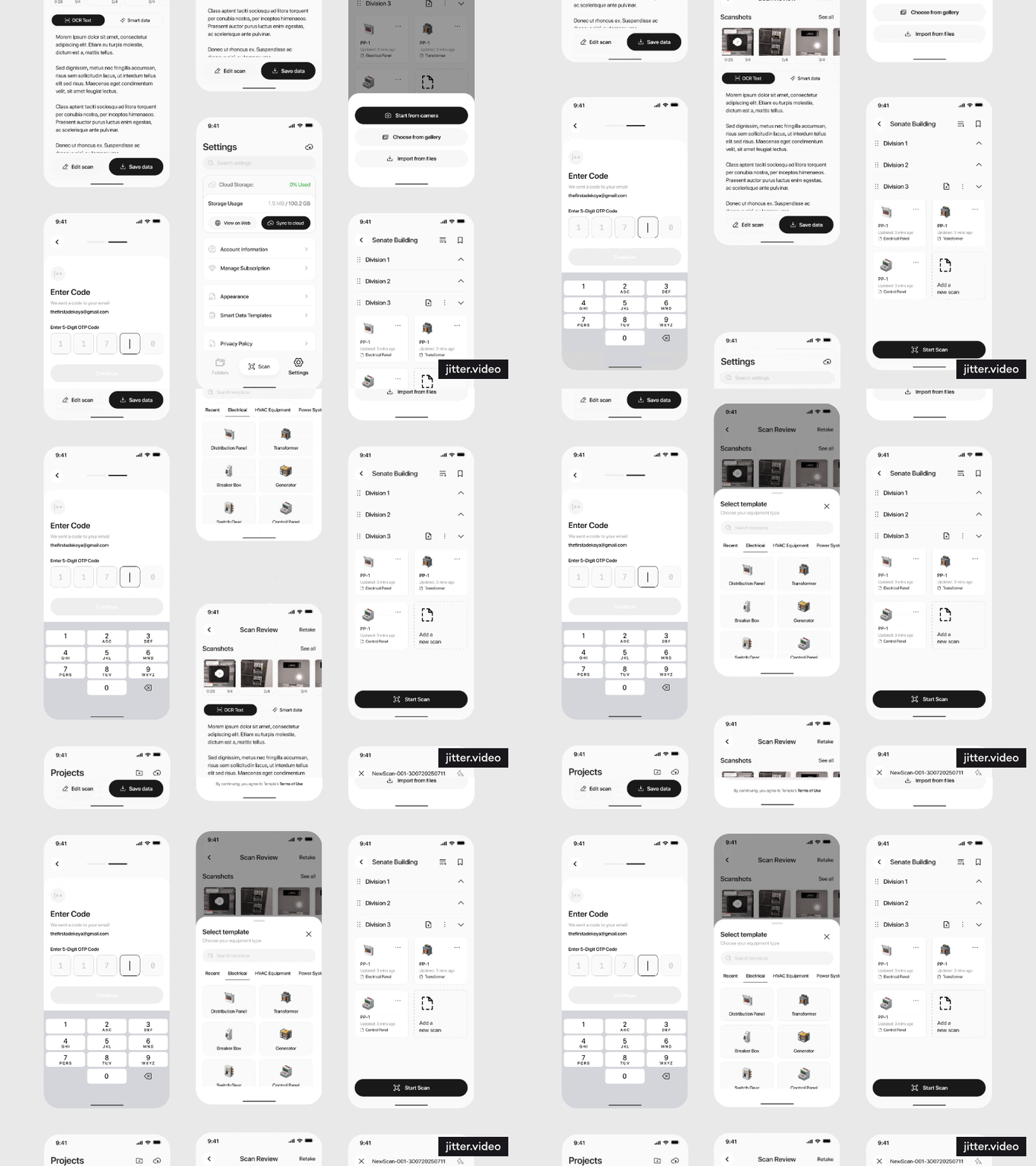
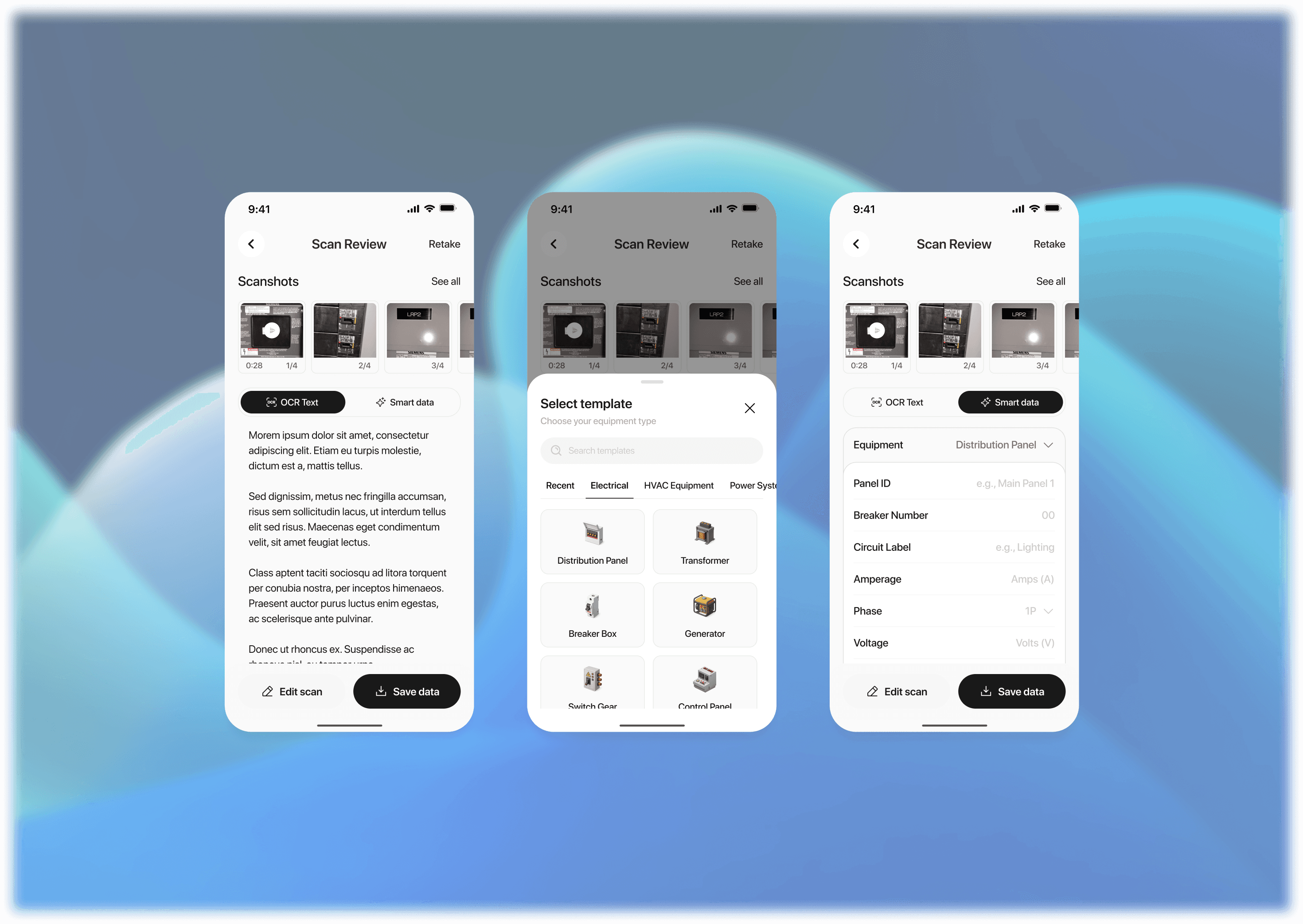
I solved this by creating a template selector UI—organized by profession (Electrical, HVAC, Plumbing, etc.). Each template had predefined fields that auto-filled from OCR, but allowed inline edits for speed and accuracy.
Another challenge was making simultaneous video and photo capture feel intuitive. Engineers often want to film a walkthrough and snap still images of labels mid-way. So I designed a camera interface similar to iPhone’s native camera, with the ability to snap stills while recording video—automatically attaching all media to the same report.
Lastly, we had to keep everything fast and local-first. I collaborated with devs to ensure OCR runs offline, uploads happen in the background, and users aren’t stuck waiting on weak field networks.
Solution
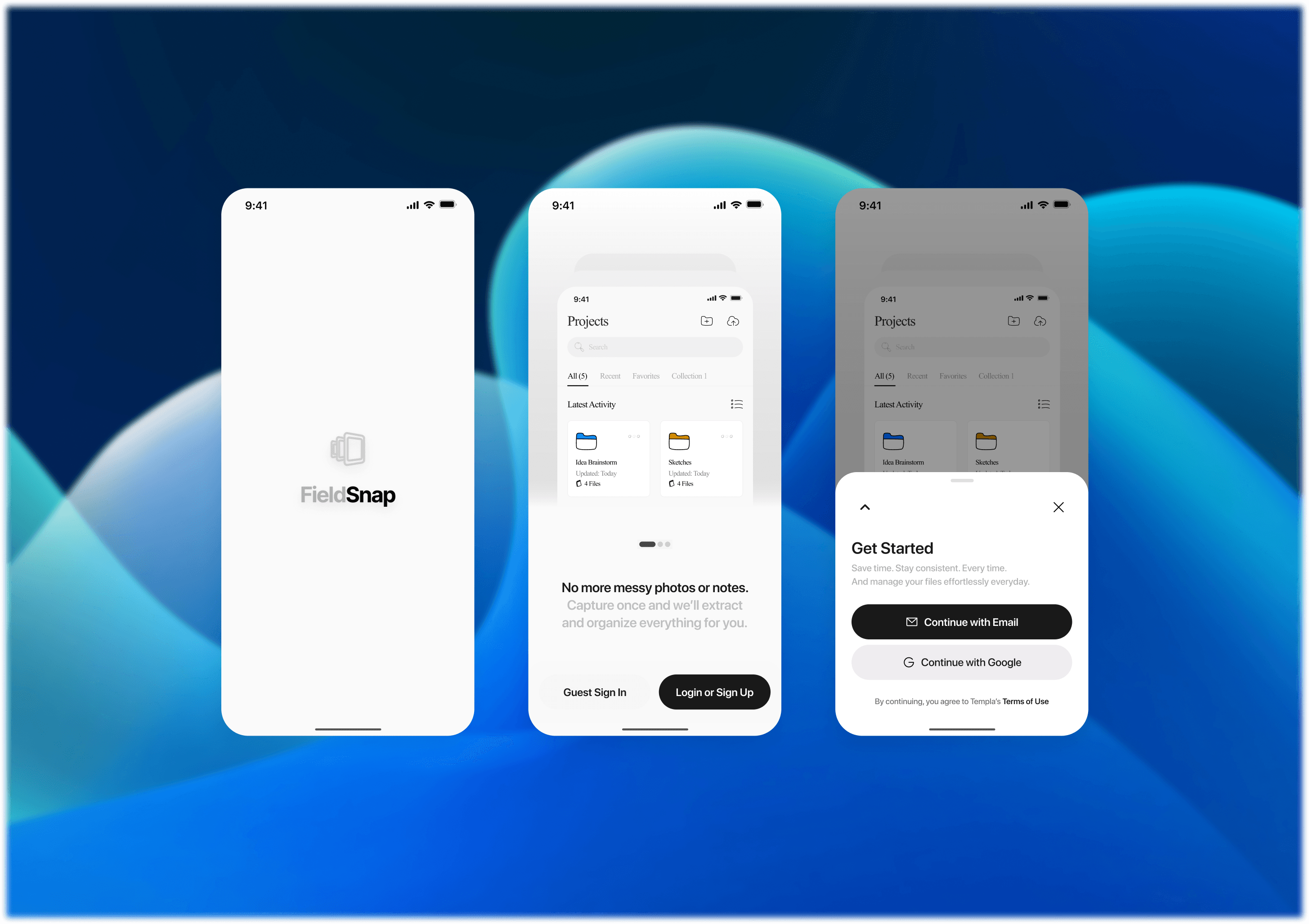
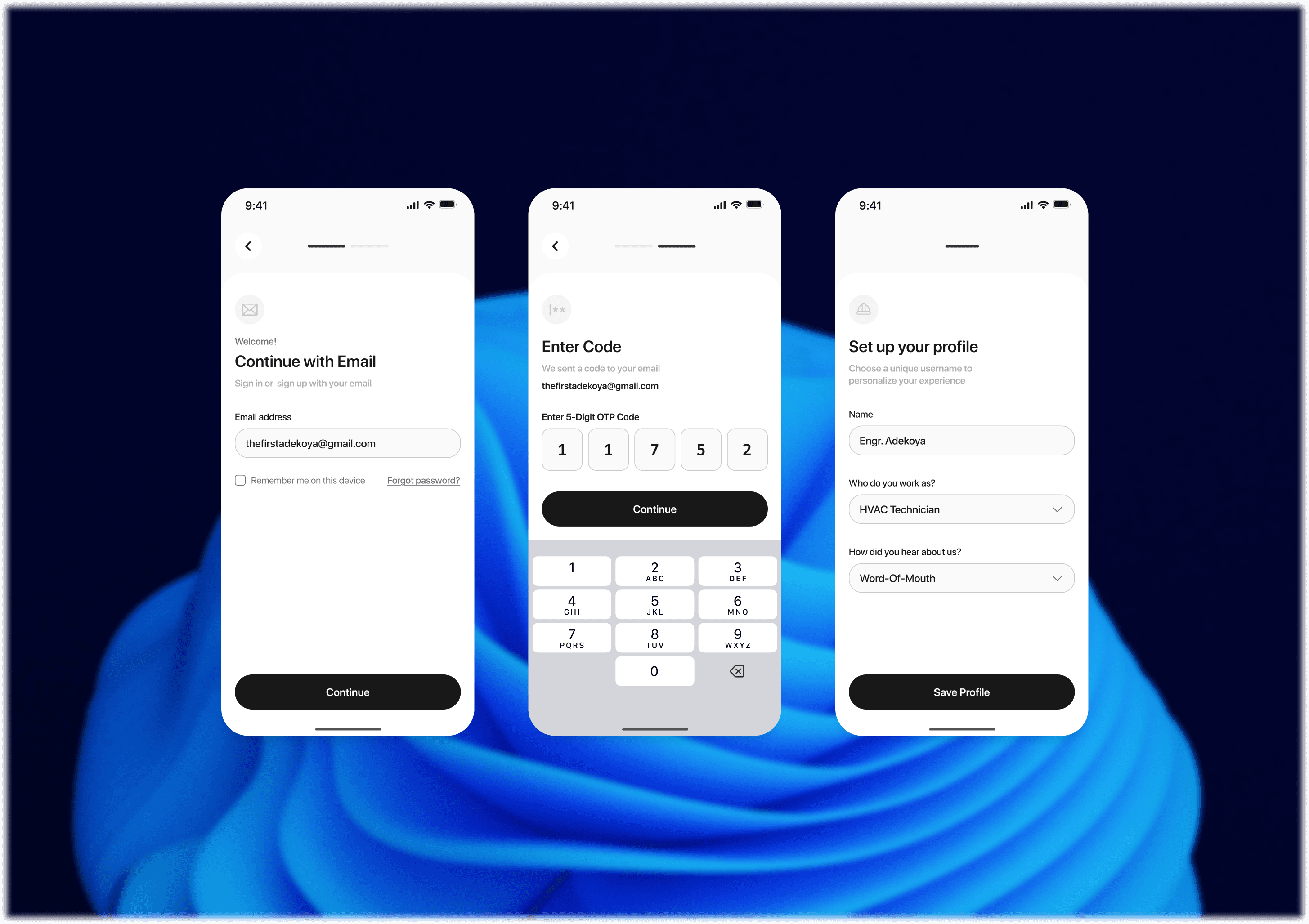
FieldSnap delivers a complete field documentation cycle in one tool:
Smart Capture Flow: Video + photo + instant OCR extraction
Auto-filled Templates: Tailored to each trade, editable on the spot
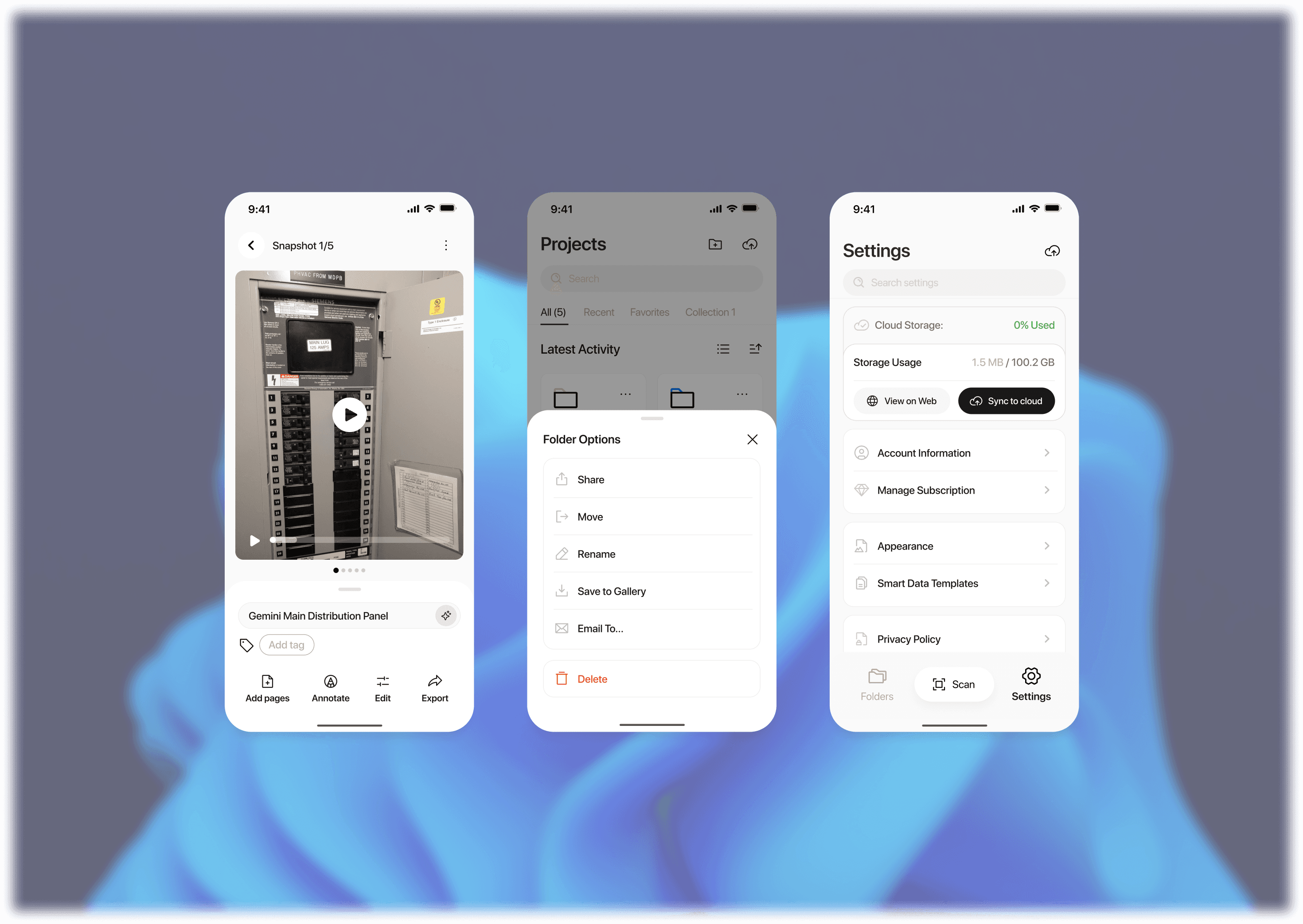
Structured Storage: Project > Site > Floor hierarchy
Offline-First: Works without network, auto-syncs later
Shareable Reports: Export to PDF, cloud, or share via link—no extra software required
The design aesthetic is sleek, industrial, and purpose-built—no clutter, no gimmicks, just the essentials for speed and accuracy.
Results & Impact
FieldSnap delivers a complete field documentation cycle in one tool:
Smart Capture Flow: Video + photo + instant OCR extraction
Auto-filled Templates: Tailored to each trade, editable on the spot
Structured Storage: Project > Site > Floor hierarchy
Offline-First: Works without network, auto-syncs later
Shareable Reports: Export to PDF, cloud, or share via link—no extra software required
The design aesthetic is sleek, industrial, and purpose-built—no clutter, no gimmicks, just the essentials for speed and accuracy.
Next Steps
Now that FieldSnap has proven its value, the roadmap includes:
Template customization UI – so companies can build their own reusable forms
Tag-based media search – find any photo by voltage, pressure, label text, etc.
Voice-to-text notes and inspection remarks
Enterprise dashboard for compliance, audit trails, and reporting across projects
AI-assisted field error detection (e.g., missing data, unreadable labels, etc.)
The long-term vision?
To become the universal field companion—as essential as a wrench or a voltage meter.
A tool built for the dirt, the stairs, the sun, and the deadlines.